Keep an eye on every
Bambu Lab print
A small ESP32-S3 device with a 4.3″ touch screen that lives on your desk and shows — in real time — what your printers are doing. It talks only to your self-hosted Bambuddy, so your printers never see a third-party cloud.
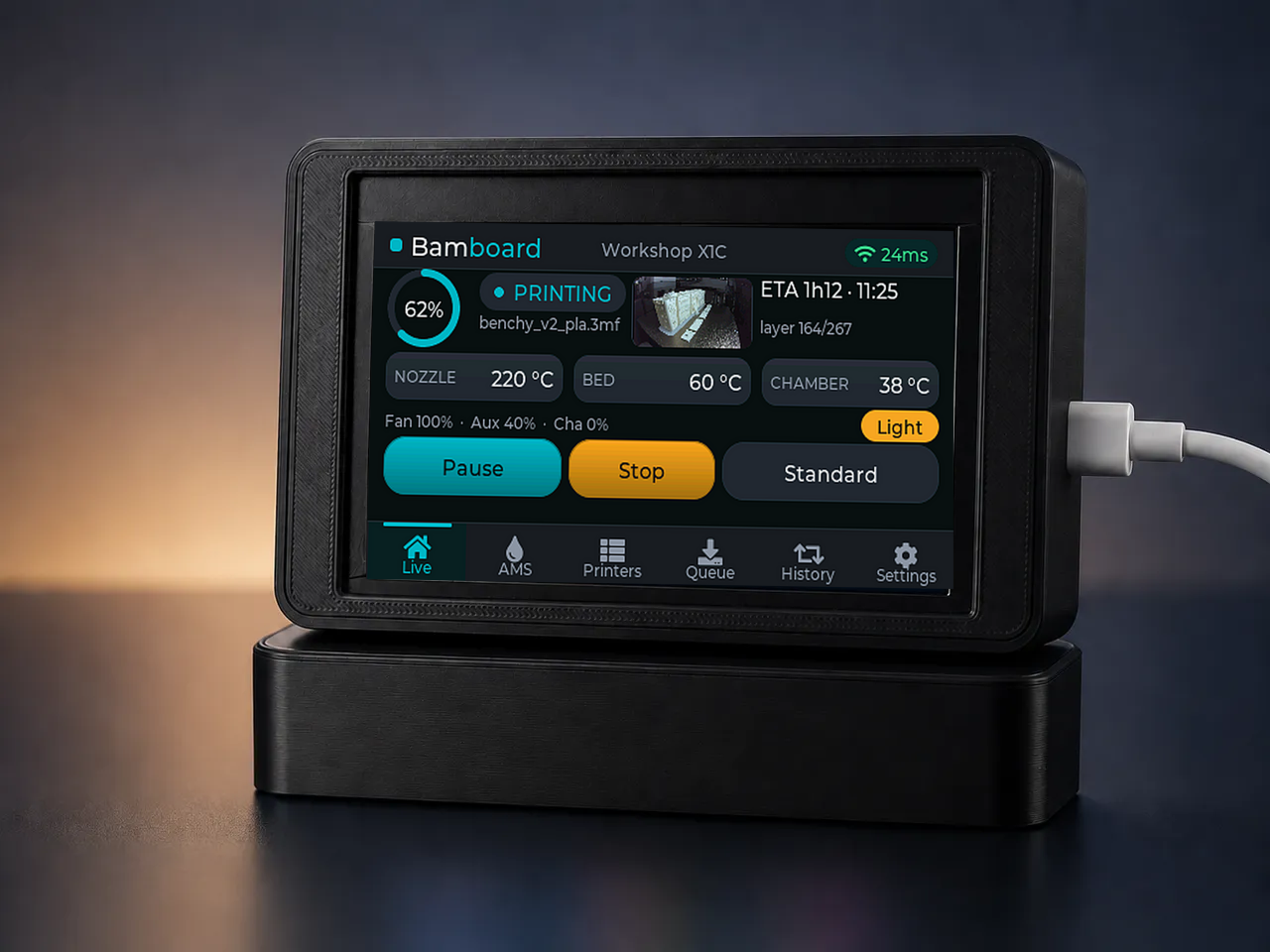
A glanceable status screen, on your terms
Everything Bambuddy already knows about your farm — temperatures, progress, AMS, queue, history — on a dedicated screen you control end to end.
Local-first & private
Speaks REST to your own Bambuddy instance. Your printers stay off any third-party cloud — your data never leaves your network unless you choose HTTPS.
About 20 €, no soldering
One all-in-one ESP32-S3 board, a USB-C cable, four screws and ~70 g of filament for the case. Everything's on a single PCB — nothing to wire.
Updates itself
Flash once from the browser; after that every release lands over the air from GitHub. The device reboots nightly so new firmware arrives unattended.
Touch-first UI
Six tabs, tap or swipe to switch. Pause / Resume / Stop a print, toggle the chamber light or start an AMS drying cycle — right from the panel.
Won't let errors slip
HMS faults surface in red with a full-screen pulsing alert that re-arms until cleared. Finished-or-failed jobs pop a toast from any tab.
Five languages
Pick the interface language at first boot — English, Spanish, French, Portuguese or German — no re-flash to change it.
Six tabs, everything at a glance
Live renders from a built-in demo dataset, regenerated on every release — so what you see here always matches the current firmware.
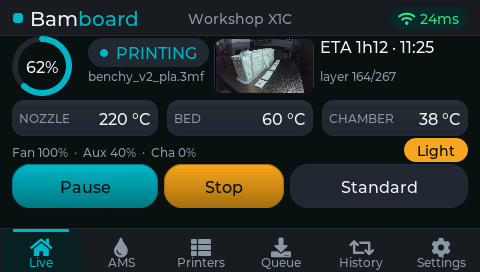
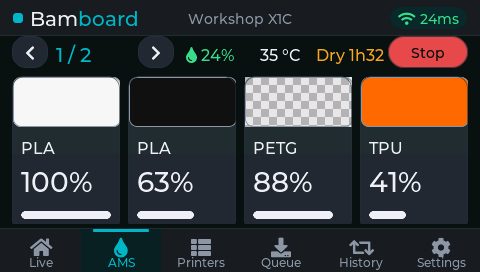
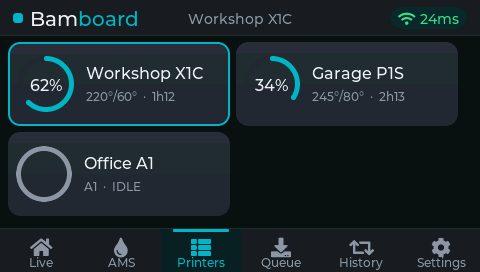
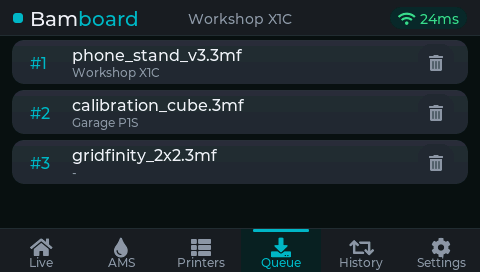
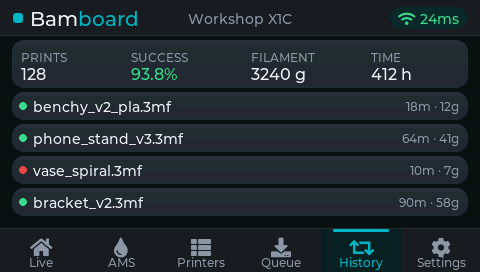
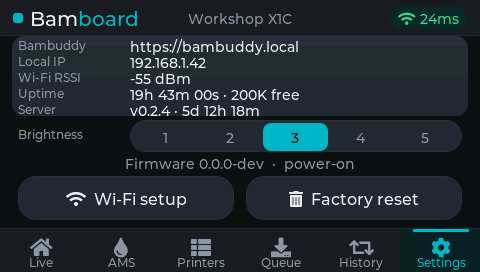
Live dashboard. Nozzle / bed / chamber temps, layer progress, ETA and filename — plus a camera thumbnail and inline Pause / Resume / Stop, a chamber-light toggle, the print-speed picker and a fan readout while printing.
Your printers → Bambuddy → Bamboard
Bamboard is a thin, dedicated client for the Bambuddy API. No bridge, no extra service to run beyond the Bambuddy you already host.
-
Live status.
Polls Bambuddy's REST API every 2 s for each printer's
printer_status, so temperatures, progress and HMS alerts land within a couple of seconds — API-key auth only, nothing to log into. -
LAN or remote, your call.
Plain HTTP to a private IP /
.localon your LAN by default, or HTTPS to a domain with the server certificate validated against a built-in, CI-refreshed root-CA bundle. -
Cloudflare Access ready.
Optional service-token fields let you reach a Bambuddy published behind Cloudflare Access — the headers ride only on HTTPS / WSS, never in clear text.
-
No-reflash setup.
A first-boot captive portal collects Wi-Fi, Bambuddy URL + API key, timezone, daily-reboot hour and language. Hold BOOT at power-on to run it again.
One board. No wiring. No soldering.
No DevKit wiring, no breakout boards. A single Guition all-in-one drops into a printable case.
- Guition JC4827W543 — ESP32-S3-WROOM-1 with 8 MB PSRAM, all on one PCB.
- 4.3″ IPS, 480 × 272 RGB-parallel panel with a GT911 capacitive touch layer.
- FDM-printable case — a 3-part community design by TomE1337 (CC BY-NC-SA): body + cover + desk stand. ~120 g of filament.
- Just a USB-C cable for power and the one-time flash — nothing else to connect.
- All-in-one board
- 1×
- USB-C data cable
- 1×
- Case fasteners
- per model
- Filament (case)
- ~120 g
- Soldering
- none
Flash it straight from this page
First install runs in the browser over Web Serial — no PlatformIO, no CLI, no toolchain. Everything after lands over the air.
Browser install
Chrome, Edge or Opera on a desktop. Plug the board into a USB-C data cable and click Connect.
⚠️ The published manifest is a placeholder (0.0.0-dev) — the release CI hasn't run yet.
Use the latest release on GitHub instead.
- Use Chrome, Edge or Opera on a computer (Web Serial isn't in Firefox, Safari or on phones).
- Plug the board into a USB-C data cable (not charge-only).
- Click Connect and pick the serial port that appears.
- No port? Enter download mode: hold BOOT, tap RST, release BOOT, retry.
- On first boot, join the
Bamboard-setupWi-Fi and finish setup in the captive portal.
You only do this once. After the first flash, the device updates itself over the air from GitHub Releases at every boot.
Other browsers & manual flashing
Web Serial is Chromium-desktop only. On Firefox, Safari, Linux without a Chromium browser, or to flash by hand, download bamboard-factory.bin from the latest release and write it at offset 0x0 with esptool:
esptool.py --chip esp32s3 write_flash 0x0 bamboard-factory.binBuild your own Bamboard
Order the ~20 € board, print the case, and flash it from your browser. The docs walk you through assembly, flashing and configuration.